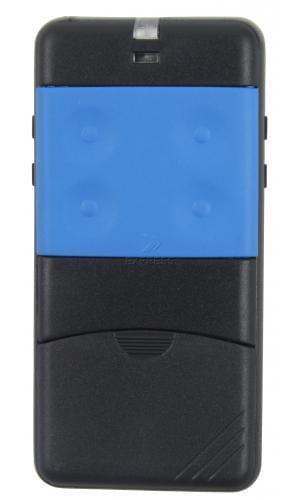
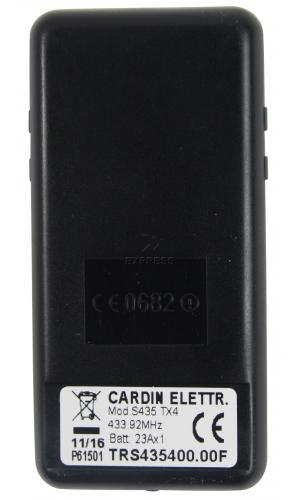
Remote CARDIN S435-TX4 BLUE TRS435400.00F
Shipping
Best price guaranteed!
 serving only professionals!
You are a professional in automation who wants to benefit from volume discounts on gate automation, access control, and home automation products:

in stock guaranteed

representative for you

available

100% pro
at discounted prices

for your business
Free postage
order 2 remotes
Reference : : TRS435400.00F
Our offers
- Free support on 0203 31 882 18
- Free programming support
- Manual included in PDF format by email
- 24 months warranty
- Programming tutorial
Free postage
order 2 remotes
14 days
to change your mind
Free advice
when buying and programming
Secure payment

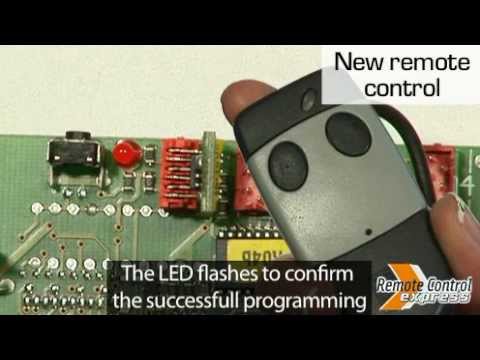
Comment programmer sa télécommande CARDIN S435-TX4 BLUE ?
Video - Programming a remote control CARDIN S435-TX4 BLUE :
Product description and characteristics
Product specifications
| Brand | CARDIN |
| Model | S435-TX4 BLUE |
| Reference : | TRS435400.00F |
| Frequency | 433.92 MHz
|
| Number of buttons | 4 |
| Type of programming | Programming with the receiver |
| Type of battery | 12V(23A) |
| Dimensions | 8 x 4 x 10 cm |
| Battery and instructions included | Yes |
Product information CARDIN S435-TX4 BLUE
Please note: please open your original remote to verify that there are no dip switches inside. If the inside contains dip switches, the correct reference is the CARDIN S438-TX4 .
Is your CARDIN S435-TX4 BLUE gate remote control broken? No need to panic, Remote Control Express is one of the leaders in the remote control market. Specialising in gate remote controls, our experts are qualified to help you choose your new CARDIN S435-TX4 BLUE remote control. With your new CARDIN S435-TX4 BLUE gate remote control, you’ll once again be easily able to open and close your automatic gate. Why order your CARDIN S435-TX4 BLUE remote control on Remote Control Express?
- Advantage 1 :
Wishing to take delivery of quickly? Choose 24-hour delivery anywhere on United Kingdom soil.
- Advantage 2 :
Purchase multiple remote controls and save money by taking advantage of our shipping offers.
- Advantage 3 :
Wanting to save time and be able to use your CARDIN S435-TX4 BLUE gate remote control straight away? You’ll be glad to know that all our remote controls come with batteries. This means you can quickly start using your CARDIN S435-TX4 BLUE remote control.
- Advantage 4 :
Finding it hard to program your CARDIN S435-TX4 BLUE gate remote control ? No worries, we are here to help using our know-how. Firstly, consider reading the information sent with each S435-TX4 BLUE remote control. Remote Control Express also provides instructional videos for most CARDIN remote controls. If you need any more help, call our free helpline. One of our specialists will take you through each step in order to help you program your gate remote control. You can even send us a photo using your tablet to +33 (0)616 962 454. This number is solely reserved for receiving MMS photos.
Our online store will lead you through each stage of the process of buying your CARDIN S435-TX4 BLUE remote control.